Qt - Notes
Overview
Created by the Qt Company in 1995, Qt is a framework for creating graphical user interface (GUI) applications. - It's also a cross-plateform running on Linux, MacOS, Windows and embedded devices. - It's compatible with C++, python and JS
Qt Applications
- Automobile
- Mobile & Othe devices with a User Interface(UI)
- ...
Tools & Frameworks
- Photoshop
- Figma
-
Adobe XD
Qt development framework
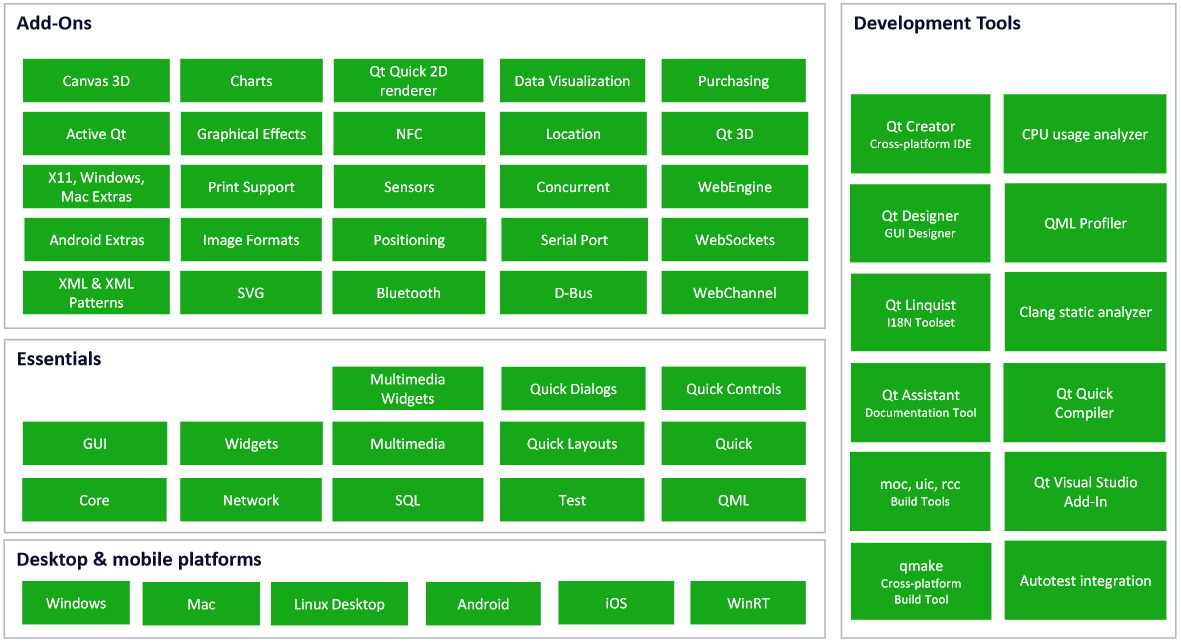
Qt QML - Language and infrastracture
-
The component code is generated automatically in a file.qml from UI
-
QML modules/modular components
- Create .qml components and place them into a specific dir:
Qt Quick designer
Interface infrastructures to design GUIs for MOBILE and EMBEDDED applications
- UI Design : design and prototype the UI experience whithout any code
- main UI (ui.qml and qml)
-
critical safety elements (Qt safe render)
-
Quick safe renders and standards
- "telltales" => safety critical part
- Quick language : Qt Safe Renders and safety standards
- Telltales : safety critical part, these are the warning lamps for things such as airbag, oil level, engine temperature and brakes
Qt Designer
Interface infrastructures to design GUIs for desktop applications
- Tools : Qt Widgets Application.
Devices
- Desktop
- Mobile
- Embedded
- NXP widely used is :
- i.MX6 CPU
- i.MX6 GPU
Cross-platform
Qt Project (.pro) file is actually the project file used by "qmake" to build your application, library, or plugin.
Qt applications workflow
- Design Studio
- Implementation
- Create reuseble componenents
- Animation
- Interactions (States/connection)
- App setup (RT, embedded, Desktop ...)
- RT
- Embedded
- Desktop
- Mobile
Hello World!
UI Quick: - Components(sender, receiver...) - Signal - Animation
References
Documentation - Qt wiki - Qt Documentation - Qt for Beginners - C++ - Qt for Python
Books - Qt resources